









About Super Game Maker
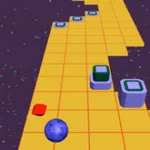
Super Game Maker challenges you to create and test small game levels by placing objects, obstacles and goals in an editor.
Build a playable challenge, then test whether your level can be completed.
How to Play Super Game Maker
- Open the editor and place a start position and a reachable goal.
- Add platforms, barriers and objects to shape the challenge.
- Press Play to test the level with the character.
- Adjust difficult sections and test again until the route works.
Controls
FAQ
What is Super Game Maker?
Super Game Maker challenges you to create and test small game levels by placing objects, obstacles and goals in an editor.
How do you control the game?
Use use Mouse click to select tool, use Click or drag to place / move object, and use Play button to test level.
What is the goal in Super Game Maker?
Build a playable challenge, then test whether your level can be completed.
How do you begin playing Super Game Maker?
Start by reading the current scene and locating the next safe objective.
What controls do I use in Super Game Maker?
Select tool: Mouse click; Place / move object: Click or drag; Test level: Play button.
What is a good first strategy in Super Game Maker?
Place the finish or objective before filling the scene with hazards.
What mistake should I avoid in Super Game Maker?
Test jumps with the actual character instead of estimating their length.
How do I handle a difficult section in Super Game Maker?
Introduce one obstacle type at a time so the difficulty feels fair.
How can I make a better run in Super Game Maker?
Replay the level from the start after each major edit.
More Games Like This

Moto X3M

Moto X3M Winter

Moto X3M 2

Jellytruck

Temple Run 2

3Dfreekick

Adventures With Anxiety

Among Us

Aspiring Artist
Backrooms 3D
Baldisbasics

Bitcoinclicker

BitLife

Cars Simulator